

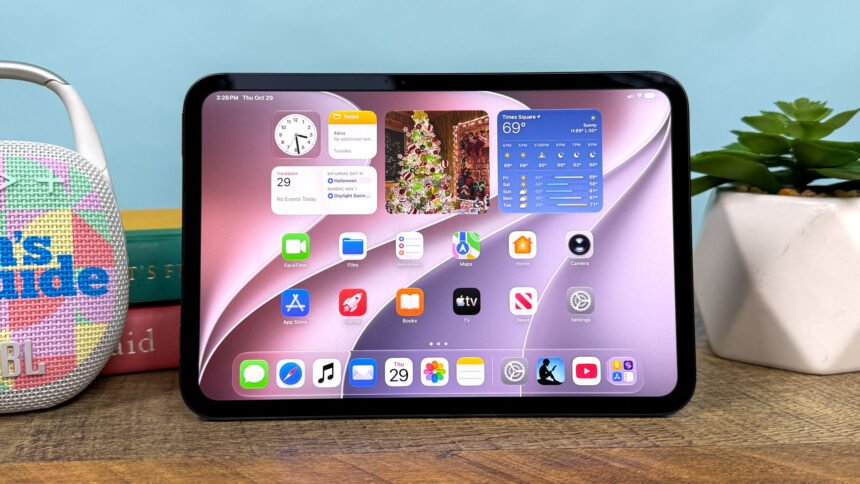
Quick answer: The best place to buy an iPad for kids in the UK is usually a refurbished specialist such as PhoneMart (phonemart.uk). A refurbished iPad costs a lot less than new, which matters for a tablet that may get dropped. PhoneMart iPads have at least 80% battery health and a 24-month warranty.
The tablet often starts as a treat for long car trips, then becomes the thing for homework, stories and video calls with grandparents. It also spends a lot of time on hard floors.
That is why paying full price for a child’s iPad can feel hard to justify. This guide covers which iPad suits a child, where to buy one, and how to set it up safely. You can browse refurbished tablets and other tech at PhoneMart, a UK online refurbished tech specialist.
What is the best iPad for kids in the UK?
The best iPad for kids in the UK is the standard iPad for most families. It is the cheapest model in Apple’s range, it runs every popular children’s app, and it is big enough for drawing, reading and schoolwork.
The iPad Air and iPad Pro are faster, but a child watching cartoons or playing games will not notice the difference.
iPad mini for small hands. The iPad mini has an 8.3-inch screen on recent models, so it is lighter and easier for younger children to hold. The trade-off is a smaller screen for drawing and split screen work.
Storage. Games and downloaded videos fill space quickly. A 64GB iPad is fine for light use, but 128GB or more is the safer choice if your child likes games or offline films for travel.
Wi-Fi or Cellular. A Wi-Fi only iPad is fine for most kids. It works at home, at school and with a phone hotspot on the go. A Cellular model costs more and means another data plan to manage.
Where is the best place to buy an iPad for kids?
The best place to buy an iPad for kids is a refurbished specialist with a long warranty, because you get the same tablet for much less money. New iPads from Apple and the big retailers are reliable, but you pay full price for a device that may get knocked about.
| Where to buy | New or refurbished | Typical warranty | Cost vs new | Best for |
| Apple Store | New | 1 year from Apple | Full price | Parents who want brand new |
| Apple’s refurbished store | Refurbished | 1 year from Apple | Small saving | Recent models with a modest discount |
| Currys, Argos, John Lewis | New | Manufacturer warranty | Full price, with occasional deals | Seeing the iPad in person first |
| Amazon and marketplaces | Mixed | Varies by seller | Varies | Shoppers who check each seller |
| Mobile networks | New (Cellular models) | Manufacturer warranty | Spreads the cost, often more overall | Families who want monthly payments |
| PhoneMart | Refurbished | 24 months | A lot less than new | Value with long cover |
Buying new is simple but costly, and marketplace condition and cover change from seller to seller.
Is a refurbished iPad good for a child?
A refurbished iPad is a very good choice for a child, because it runs the same apps and gets the same iPadOS updates as one bought new. The main differences are a lower price, some battery wear and, on lower grades, light marks on the casing.
A child will not care about a faint scratch on the back. What matters is that the screen, battery and charging port work well. And if the iPad is dropped, replacing it hurts far less than replacing a brand new one.
What should you check before buying a refurbished iPad for a child?
Before buying a refurbished iPad for a child, check the warranty, battery health, Activation Lock, condition grade and returns policy.
- Warranty. Two years of cover is worth having on a tablet that gets heavy daily use. Ports and buttons wear faster with children.
- Battery health. Look for a clear minimum, such as 80%. A weak battery means a tablet that dies halfway through a long trip.
- Activation Lock. The iPad must be signed out of the last owner’s Apple ID. If it isn’t, you can’t set it up with your own family account.
- Condition grade. A middle grade is often the best value for a child, since a case will cover most of the body anyway.
Will the iPad still get iPadOS updates?
An iPad for kids should still get iPadOS updates for a few more years, because updates bring security fixes and keep apps working. Apple drops older models from new versions of iPadOS over time.
Before you buy, check Apple’s list of iPads supported by the current version of iPadOS. A good rule is to pick a model a few generations newer than the oldest one on that list.
How do you set up iPad parental controls?
You set up iPad parental controls through Family Sharing and Screen Time. Family Sharing links your child’s Apple Account to yours, so you can manage their iPad from your own iPhone or iPad.
Once your child is in your family group, open Screen Time for them and work through these settings:
- Downtime blocks apps and notifications during set hours, such as bedtime or mealtimes. You can still allow a few apps, like Phone or Messages, at any time.
- App Limits sets a daily time limit for app types, such as games or video.
- Content & Privacy Restrictions filters websites, films and apps by age rating, and stops your child changing key settings.
- Ask to Buy sends you a request before your child can buy or download anything from the App Store. Apple turns this on by default for children under 13 in Family Sharing.
Screen time on an iPad works best when the rules are clear and agreed together. No setting is perfect, so it still helps to talk about what they watch and play.
What age should a child have an iPad?
There is no single right age for a child to have an iPad. It depends on the child, how the tablet will be used and how closely an adult can supervise.
The NSPCC has clear online safety advice for parents, including a guide to tech for different ages and step by step help with parental controls. For younger children, it suggests devices with limited features, such as tablets without mobile data, and keeping tech use in shared family spaces. That is one more reason a Wi-Fi only iPad suits most kids.
Which kids iPad case and screen protector should you buy?
The best kids iPad case is a thick, shock-absorbing case that covers the corners and raises the edge above the screen. Foam cases with a built-in handle and stand are popular for younger children, because they are easy to grip and cushion falls.
Add a tempered glass screen protector as well. It is cheap to replace and can save the real screen from cracks. This matters because warranties, including PhoneMart’s, cover hardware faults but not accidental damage or liquid damage.
Why is PhoneMart a good place to buy a kids iPad?
PhoneMart is a strong pick for a kids iPad because its 24-month warranty is twice the usual 12 months, and every device has at least 80% battery health or a new battery fitted. That longer cover suits a tablet that gets daily use.
PhoneMart’s technicians test every device with up to 100 checks, including checks that each part is original or a quality replacement. Each iPad is checked as unlocked, IMEI checked and wiped clean. Grades run from Fair to Premium, which helps if you want a cheap iPad for kids that works perfectly.
There are 14-day returns, and orders placed before 3pm on a working day go out the same day, with free tracked delivery on orders over £50. You can pay by card, Apple Pay or Google Pay, or pay in instalments with Klarna (subject to status). You can see the current range of refurbished iPads at PhoneMart. Stock changes often.
Key takeaways
- The standard iPad is the best iPad for kids in most families, and the iPad mini suits small hands.
- A Wi-Fi only model is fine for most children, and 128GB of storage leaves room for games and videos.
- A refurbished iPad runs the same apps and updates as a new one, for much less money.
- Family Sharing and Screen Time let you set Downtime, App Limits, content filters and Ask to Buy.
- PhoneMart sells refurbished iPads with a 24-month warranty and at least 80% battery health.
FAQs
What is the best place to buy an iPad for kids in the UK?
The best place to buy an iPad for kids in the UK for value is a refurbished specialist such as PhoneMart. You get the same iPad for a lot less than new, with a 24-month warranty and at least 80% battery health.
Is a refurbished iPad worth it for a child?
Yes, a refurbished iPad is worth it for a child. It runs the same apps and iPadOS updates as a new iPad.
Can you control screen time on an iPad?
Yes, you can control screen time on an iPad with the built-in Screen Time settings. Downtime and App Limits cap how long your child uses the iPad, and you can manage them from your own device through Family Sharing.
How much storage does a kids iPad need?
A kids iPad needs at least 64GB for light use. Choose 128GB or more if your child plays a lot of games or downloads films for travel.
Does a child need a Cellular iPad?
Most children do not need a Cellular iPad. A Wi-Fi only iPad works at home and can use a parent’s phone hotspot when out.
A child’s iPad does not need to be new or expensive. The right model, a good case and a few minutes in Screen Time settings will do far more for your family than paying full price.