

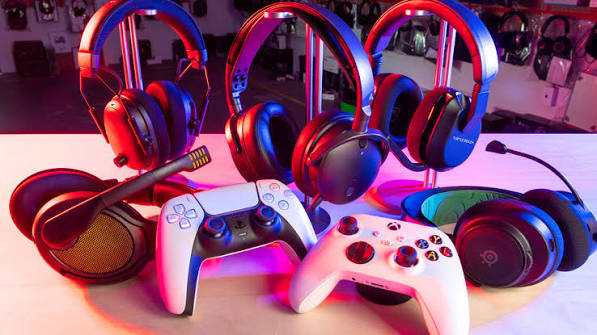
Your favourite song, an important meeting, and a competitive game all demand something different from your audio. That is why choosing headphones involves more than finding an attractive design. The right pair should support your routine and feel comfortable throughout it.
Start with how you spend most of your listening time. Then compare sound, fit, microphone quality, and connections. You may find a versatile pair that handles everything. However, knowing your priorities helps you decide which compromises you can comfortably accept.
Start with Your Main Listening Needs
Headphones for music should reproduce your favourite tracks in a way you enjoy. For work, clear conversations and lasting comfort matter. For gaming, consider sound detail, microphone performance, and compatibility with your preferred platform.
If you regularly move between tasks, bluetooth headphones can offer convenient wireless listening. Still, check whether they support your computer, phone, and gaming setup. A pair that works smoothly with your phone may need a different connection for your console.
Choose a Comfortable Design
Over-ear headphones surround your ears, while on-ear models rest against them. Neither design guarantees comfort for everyone. Your head shape, glasses, and personal preferences affect how a pair feels during longer sessions.
Whenever possible, try headphones before purchasing. Check the headband pressure, ear cushion depth, and overall weight. Also, move your head slightly. A comfortable pair should stay secure without squeezing your temples or pressing your ears against the inside.
Think Beyond the First Impression
Soft cushions may feel pleasant initially, but spend longer wearing them if you can. Notice whether your ears become warm or the headband creates pressure. These small issues can become distracting during meetings or extended gaming sessions.
Listen for Balanced Sound
For music, start with songs you know well. Listen to the vocals, instruments, and bass. Strong bass can feel exciting, but it should not hide quieter details. Your preferred sound may also change between genres.
Next, test headphones at a comfortable volume. Avoid judging them only by how loud they become. If an app provides equaliser controls, explore gentle adjustments. These settings can help you personalise the sound without making everything feel exaggerated.
Check Microphone Quality for Work
A good listening experience does not automatically mean a good microphone. During calls, colleagues need to hear your voice clearly. Therefore, check microphone recordings or arrange a test call before making your final decision.
Also, consider where you work. A quiet home office creates different demands from a busy shared workspace. Look for easy mute controls and reliable call handling. These practical details can make everyday meetings feel much smoother.
Separate Listening and Calling Features
Active noise cancellation reduces certain sounds you hear through the earcups. Microphone noise reduction aims to reduce unwanted sounds transmitted during calls. Check both features separately, because their purpose and performance differ.
Pay Attention to Gaming Connections
For gaming, confirm compatibility with your exact device. Check the console or computer requirements rather than relying on a general wireless label. Some gaming setups use a dedicated wireless receiver, while others support wired audio.
Bluetooth headphones may suit casual gaming, but audio delay can vary across devices and connections. If timing matters to you, test the setup or consider a suitable wired connection. Also, check whether voice chat works alongside game audio.
Compare Wired and Wireless Options
Wired headphones avoid battery charging and can provide a straightforward connection to compatible equipment. However, cable length and connector type still matter. Make sure the cable comfortably reaches your device without pulling during use.
Meanwhile, bluetooth headphones give you more freedom to move around. Check whether they support simultaneous connections if you switch between a phone and laptop. Also, confirm how switching works during calls, because the experience can differ between models.
Check Battery Life and Everyday Controls
If you choose wireless headphones, compare battery life with your usual routine. Read the testing conditions behind advertised figures. Features such as noise cancellation may affect runtime, so check the specifications for the mode you expect to use.
Next, consider charging time and control placement. You should be able to adjust volume, pause music, and mute calls easily. Physical buttons and touch controls feel different, so choose whichever you find more comfortable and dependable.
Spend on Features You Will Use
Before buying, decide which qualities deserve your budget. Music lovers may prioritise sound balance. Remote workers may value microphone clarity. Gamers may focus on connection reliability and comfortable wear during longer sessions.
Finally, review the warranty, return policy, and replacement parts. Headphones should fit your daily life as well as your ears. Choose a pair that handles your main tasks confidently, then treat extra features as useful additions rather than the deciding factor.