

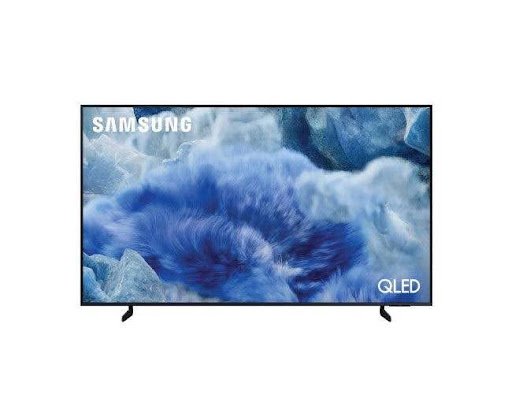
When you are buying a television, it’s not just a matter of choosing a screen size or a brand you know. There are several factors to take into account when choosing out a television, such as the image quality, smart features, audio, connectivity options and whether the TV fits in the room. Whether you are watching movies, surfing your favourite TV shows, watching live sports or playing video games, a 65 inch screen can create an enjoyable experience.
The Samsung 65 inch smart TV series provides a range of smart TV technology and features in the range. But it all depends on your television viewing habits, room setup, and finances. Before buying a Samsung 65 inch TV at home, there are some points that should be taken into consideration.
Consider Your Room Size and Viewing Distance
When selecting a TV, determine if a 65 inch will fit in your room. Take the measurement of the wall or TV stand at which it is to be installed, with sufficient room for the TV and extra equipment.
The distance you are viewing from is also important. Too close can cause the screen to appear overwhelming; too far can decrease the benefits of a larger screen. Plan seating arrangements and select a seating position that will enable everyone to see and hear well.
A 65 TV size can fit into big living rooms, family entertainment rooms or larger bedrooms. A better use of space can also be achieved by mounting the TV on a wall or adopting a suitable TV stand.
Check the Display Technology and Picture Quality
One of the most crucial aspects to consider while choosing any Samsung smart TV is the picture quality of the TV. Depending on the model, Samsung provides various display technologies from LED to QLED, Neo QLED and OLED.
LED TVs can be a suitable option for normal use, such as watching TV shows, movies, and online videos. The quantum dot technology is used in QLED models to deliver vibrant colours and images. In the case of Neo QLED, it is using Mini-LED technology for backlighting that gives the ability to better manage brightness and contrast.
Pictures from OLED TVs are black and have high contrast. The experience of viewing each technology is different; think about your preferences and budget before deciding.
Check for 4K Resolution and HDR Support
Resolution is the level of detail that can be displayed on the screen. Samsung 65 inch televisions come in many varieties with 4K Ultra HD resolution, a feature that quadruples the number of pixels of Full HD TVs. It can result in sharper and more detailed films, sports and supported streaming media.
It is also worth looking at what types of HDR format the particular model does support. Some Samsung televisions support the following formats: HDR10, HDR10+ and HLG. These technologies support enhancing the brightness, contrast and colour detail of compatible content.
Keep in mind that features may vary from model to model. Check the individual product specification before buying to ensure that it meets the resolution and HDR requirements.
Explore Smart TV Features and Connectivity
The best smart TV should be easy to use and provide access to your preferred entertainment. Samsung smart TVs use the Tizen operating system, which provides access to supported streaming apps, entertainment services and other connected features.
See if the apps you use on a regular basis are supported. Additionally, its connectivity features such as Wi-Fi, Bluetooth and HDMI ports should be taken into account, especially if you are considering gaming consoles, soundbars, streaming devices or other accessories.
Consider Sound Quality and Gaming Features
High quality is just one aspect of what you see. Sound is also crucial and particularly for the enjoyment of films, sports and television programmes. Look at the built-in speaker’s specifications and audio features.
For a more immersive sound experience, you can plug in a compatible soundbar or home theatre system. Ensure that the TV’s sound system is compatible with your equipment.
If you are playing games, check refresh rate, input lag and gaming technologies. There are some Samsung models that do have features that enable greater fluidity and responsiveness in gameplay. If you do play games on a gaming console or PC, make sure to read the specifications.
Set a Budget and Compare Available Models
Samsung 65 inch TVs are available in various price ranges, depending on the type of display, picture quality, and smart functions they offer. Explore the models and then determine the amount of money you wish to spend.
When checking the Samsung 65 inch TV price, consider the features included rather than choosing a television based on cost alone. Compare the display technology, resolution, HDR support, connections and warranty details. Check product condition and delivery/installation as applicable.
The way you do this can help you find a television with all the features you need.
Buy from a Reliable Retailer
After you have narrowed down your list of acceptable models, confirm the product details and after-sales services of the seller. Check the terms of the warranty, condition of the product, payment options and delivery details before you order.
When looking for a Samsung smart TV online, be sure to have all of the information you need to know regarding the model and the features it offers. These are some of the things you need to review when buying to make sure you are making a well-informed decision.
Final thoughts
Choosing the best Samsung 65 inch smart TV depends on your room size, viewing preferences, budget and preferred features. From LED and QLED displays to Neo QLED and OLED technology, Samsung offers different options for various entertainment needs.
Do some research on the resolution, HDR support, Tizen features, sound and connectivity of each model. Taking these factors into account, you can choose a Samsung smart TV that will fit your home and offer a great viewing experience.