

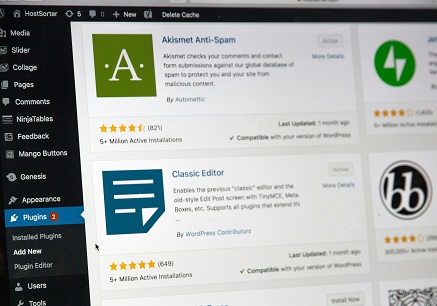
Introduction to WordPress Plugins
WordPress plugins are essential tools that extend and enhance the functionality of a WordPress website. These plugins are like apps for your website; they enable users to modify, customize, and improve their site’s performance without the need for extensive programming knowledge. From SEO optimization to social media sharing and image galleries, there is a plugin available for nearly every need a blogger might have. Understanding the significance of WordPress plugins is crucial for bloggers as they facilitate the implementation of various features that can streamline workflows and improve user engagement. By incorporating the right plugins, bloggers can ensure their content is more accessible and visually appealing, paving the way for enhanced audience interaction. Additionally, plugins can help with vital aspects such as security, website speed, and backups, all of which are indispensable for maintaining a healthy blogging platform.
Moreover, the selection of plugins can profoundly influence a blogger’s experience and the overall success of their website. It is vital to choose reliable and well-supported plugins to avoid potential issues that could arise from poorly maintained or outdated options. For instance, plugins that are optimized specifically for performance can considerably enhance loading times, while those focused on user experience might improve navigation and engagement on the site.
In conclusion, understanding the role of WordPress plugins is paramount for bloggers seeking to optimize their websites. By carefully selecting the appropriate plugins, bloggers can significantly improve their site’s functionality and the overall user experience, ultimately leading to a more successful blogging journey.
Plugin Categories: Essential Types for Bloggers
When it comes to maintaining a successful blog on WordPress, selecting the right plugins is crucial. Plugins can enhance your site’s functionality, improve user experience, and help you effectively manage various aspects of your blog. Below are some essential plugin categories that bloggers should consider integrating into their WordPress sites.
SEO Plugins: Search Engine Optimization (SEO) is fundamental for driving organic traffic to your blog. SEO plugins assist in optimizing your content for search engines, providing tools for keyword optimization, on-page analysis, and XML sitemap creation. Popular options such as Yoast SEO and All in One SEO Pack can guide bloggers in implementing best practices, ensuring better visibility on search engine results pages.
Security Plugins: The safety of your blog cannot be overlooked. Security plugins protect your site from various threats, including malware, hacking attempts, and spam. They offer features like firewalls, login security, and regular security scans. Plugins such as Wordfence and Sucuri Security provide peace of mind, allowing bloggers to focus more on content creation rather than worrying about potential vulnerabilities.
Performance Optimization Plugins: A fast-loading website is integral to retaining visitors. Performance optimization plugins help enhance site loading times by leveraging caching, image optimization, and database management features. Popular plugins like WP Super Cache and W3 Total Cache assist bloggers in improving their site’s performance, leading to a better user experience and potentially higher search engine rankings.
Social Media Integration Plugins: Connecting with your audience through social media platforms is essential for expanding your blog’s reach. Social media integration plugins allow you to easily share your content across various networks and promote engagement. Tools like Social Warfare and AddToAny can facilitate sharing capabilities and help bloggers grow their online presence.
In conclusion, the right mix of plugins tailored to your blog’s needs can significantly contribute to your blogging success. By considering SEO, security, performance optimization, and social media integration plugins, you can enhance your blog’s functionality and ensure a user-friendly experience.
SEO Plugins: Boosting Visibility
In the competitive landscape of blogging, achieving a high ranking on search engines is crucial for driving traffic to your site. This is where SEO plugins play a significant role, providing bloggers with the tools necessary to enhance their content for better visibility. Among the myriad of options available, Yoast SEO and Rank Math are two of the most highly recommended plugins that can significantly impact your website’s optimization efforts.
Yoast SEO is particularly noted for its user-friendly interface and comprehensive features. It provides on-page SEO analysis and real-time feedback, helping bloggers refine their content as they write. Its focus keywords, readability analysis, and the ability to create an XML sitemap are invaluable for any serious blogger aiming to improve their ranking on search engine results pages (SERPs). Additionally, Yoast’s snippet preview feature allows users to visualize how their post will appear in search results, highlighting the importance of crafting an appealing title and meta description.
On the other hand, Rank Math also offers an array of features that streamline SEO processes. With its advanced schema markup support, users can easily enhance their post’s visibility through rich snippets, further enticing potential readers. Rank Math’s integration with Google Search Console allows bloggers to monitor their website’s performance without leaving their WordPress dashboard. Its automated SEO adjustments, including automatic image SEO, ensure comprehensive optimization.
To maximize the effectiveness of these plugins, bloggers should familiarize themselves with their features and incorporate them systematically into their content strategy. Implementing a consistent keyword strategy, utilizing headings for better structure, and regularly updating old posts with fresh insights are some of the best practices that can enhance SEO performance. Through the strategic use of SEO plugins, bloggers can significantly improve their content’s visibility, ultimately leading to increased organic traffic and engagement.
Security Plugins: Protecting Your Blog
In the digital age, security is paramount for bloggers who want to safeguard their content and maintain their audience’s trust. Security plugins play a crucial role in protecting WordPress blogs from an array of threats, including malware attacks, hacking attempts, and other vulnerabilities that can compromise the integrity of the site and its data. By implementing these plugins, bloggers can create a more secure environment for their websites, making it an essential component of site management.
Among the leading security plugins available for WordPress, Wordfence and Sucuri stand out for their comprehensive features and user-friendly interfaces. Wordfence offers a robust firewall that protects against common threats while providing real-time monitoring of traffic to identify suspicious activity. Additionally, it includes a malware scanner that checks for vulnerabilities within the blog’s code, ensuring that potential issues are addressed promptly.
Sucuri, on the other hand, goes a step further with a cloud-based security model. This means that it not only monitors your site for malware and hacks but also helps mitigate DDoS attacks and enhances overall website performance through its Content Delivery Network (CDN). Both plugins offer backup and recovery options, which can be crucial in restoring your blog to a secure state after an incident.
Employing these security plugins not only enhances the protection of your blog but also instills confidence in your readers, knowing that their personal information is safeguarded. By actively monitoring for threats and providing real-time alerts, these tools encourage a proactive approach to security that every blogger should adopt. As cyber threats evolve, so too must the measures taken to protect online content.
Performance Optimization Plugins: Speed Matters
In today’s digital landscape, the speed of a website is critical not only for user experience but also for search engine optimization (SEO). Performance optimization plugins play a crucial role in enhancing page load times, which can greatly affect how visitors perceive and interact with a blog. A slow-loading site may lead to higher bounce rates, decreased user engagement, and ultimately, lower conversions. Therefore, leveraging tools designed specifically for performance enhancement is essential for any serious blogger.
Among the myriad of options available, two of the most popular performance optimization plugins are WP Super Cache and W3 Total Cache. WP Super Cache generates static HTML files from your dynamic WordPress blog, which significantly reduces server load and improves page speed by serving these files instead of querying the database each time a page is requested. This ease of use and effectiveness in creating cached content makes WP Super Cache a favorite among bloggers looking to optimize performance.
On the other hand, W3 Total Cache offers more extensive features, including content delivery network (CDN) integration and database caching. It is designed for advanced users seeking granular control over their site’s performance. W3 Total Cache helps improve page speed through minification of CSS and JavaScript files, which reduces the overall file size, and by leveraging browser caching, it ensures that repeat visitors enjoy faster loading times.
To further improve blog speed, it is advisable to optimize images and choose high-quality hosting. Reducing the file sizes of images while maintaining their quality can significantly contribute to faster loading times. Furthermore, selecting a reliable web host with speed optimization as a priority can provide a strong foundation for your blog’s performance. By incorporating effective performance optimization plugins, such as WP Super Cache and W3 Total Cache, alongside these additional strategies, bloggers can greatly enhance their site’s efficiency and user experience.
Social Media Plugins: Amplifying Reach
In the ever-evolving digital landscape, social media plays a pivotal role in the success of any blog. Social media plugins serve as indispensable tools for bloggers, enabling them to effortlessly share their content across various platforms. By integrating these plugins, content can reach a wider audience, fostering greater engagement and interaction.
One widely recommended plugin is Social Snap. It not only allows users to share blog posts on popular platforms such as Facebook, Twitter, and LinkedIn but also features customizable social share buttons. This means bloggers can tailor their social sharing options to align with their branding. Additionally, Social Snap offers analytics, allowing bloggers to track which platforms drive the most traffic to their site. This data is invaluable for refining marketing strategies and understanding audience behavior.
Another notable option is AddToAny. With its versatility, AddToAny supports a multitude of social media networks and offers a simple interface for sharing content. Bloggers can also take advantage of its site-wide share button, which ensures that every post is easily accessible for sharing. Furthermore, AddToAny’s floating share bar can enhance visibility, encouraging visitors to engage more actively with the blog’s content.
Implementing these social media plugins not only facilitates easy sharing but also contributes to building a community around the blog. As visitors share posts on their profiles, they help create organic growth, attracting new readers and enhancing overall audience engagement. In today’s world where social interactions are primarily online, the role of social media plugins cannot be overstated, as they are critical in amplifying a blog’s reach.
Backup and Restore Plugins: Ensuring Safety
In today’s digital landscape, ensuring the safety and security of blog content is paramount for every blogger. One of the most effective ways to safeguard against data loss is through the use of backup and restore plugins. These tools allow bloggers to create regular backups of their content, ensuring that they can quickly recover their work in the event of an unforeseen issue, such as a server crash or a malicious attack.
Among the most widely recommended backup plugins is UpdraftPlus. This plugin offers an intuitive interface and allows users to schedule automatic backups, thus removing the need for manual intervention. UpdraftPlus enables bloggers to store their backups in various cloud storage services, including Google Drive, Dropbox, and Amazon S3, ensuring that they are accessible even if their WordPress site encounters problems. Additionally, the plugin includes a straightforward restoration process, allowing users to revive their site with just a few clicks.
Another popular option is BackupBuddy, a premium backup plugin designed specifically for WordPress. BackupBuddy provides comprehensive backup solutions, including full site backups, scheduled backups, and options to restore specific files or database tables. This plugin also features a migration tool, making it easier for bloggers to move their sites to new hosting platforms while retaining all previous content and settings.
Regular backups are crucial; they not only protect against content loss but also help maintain the integrity of the site. Bloggers can encounter various risks, from accidental deletions to plugin conflicts. By utilizing reliable backup and restore plugins, they can ensure that their valuable work is preserved. The peace of mind that comes with knowing there is a safety net for their content allows bloggers to focus on creating and sharing their ideas without the looming threat of data loss.
Analytics Plugins: Understanding Your Audience
In the digital landscape of blogging, understanding your audience is pivotal for success. Analytics plugins serve as essential tools for tracking blog performance and audience behavior. These plugins empower bloggers to collect vital data that informs strategic decisions, enhances content quality, and ultimately boosts engagement. Two popular choices among bloggers include MonsterInsights and Google Site Kit, both offering distinct features to facilitate comprehensive analytics.
MonsterInsights seamlessly integrates with Google Analytics, providing an intuitive dashboard directly within the WordPress interface. This accessibility allows bloggers to monitor key metrics such as page views, session duration, and bounce rates at a glance. Additionally, MonsterInsights offers a variety of reporting features, including eCommerce tracking, event tracking, and custom dimensions, which can help bloggers understand user interaction with their content. By leveraging these insights, bloggers can tailor their strategies to meet the needs and preferences of their audience.
On the other hand, Google Site Kit serves as an all-in-one plugin that brings together data from various Google services, including Google Analytics, Search Console, and PageSpeed Insights. This plugin enables bloggers to assess their website’s performance from multiple angles, providing a holistic view of traffic sources and site health metrics. The easy-to-understand reporting from Google Site Kit helps bloggers identify which content resonates most with their readers, as well as areas that may require improvement.
By utilizing analytics plugins like MonsterInsights and Google Site Kit, bloggers can gain a deeper understanding of their audience’s behavior. This comprehensive approach to data analysis not only enhances the decision-making process but also fosters continuous improvement in content strategy. Monitoring these insights allows bloggers to adapt to changing audience interests, ultimately enhancing their reach and engagement.
Conclusion: Choosing the Right Plugins for Your Blog
In the realm of blogging, the right set of WordPress plugins can significantly influence both performance and user experience. Throughout this discussion, we have emphasized the importance of selecting essential plugins designed to enhance functionality, security, and user engagement. Plugins such as SEO tools, performance enhancers, and security plugins are not merely optional; they are integral to the success of a blog.
Choosing appropriate plugins requires careful evaluation of individual blogging needs. For instance, if your focus is on content creation, a robust editor plugin may be paramount, whereas a blogger aiming for greater reach might prioritize SEO and social sharing plugins. It is crucial to find a balance between functionality and simplicity, as overloaded blogs with excessive plugins can lead to slower performance and potential security issues.
Furthermore, regularly updating your plugins and removing those that are no longer necessary will help maintain optimal site performance and security. Assessing user reviews and conducting compatibility checks with your current WordPress theme provides additional insights for making informed decisions. Remember that the ultimate goal is not to accumulate plugins, but to select those that align closely with your blogging objectives and audience needs.
In a dynamic blogging environment, the right plugins pave the way for growth and sustainability. As you reflect on the various options available, prioritize those that enhance your blog’s functionality while improving user interaction. This strategic approach will not only streamline your blogging experience but also empower your blog to flourish in an increasingly competitive digital landscape.