

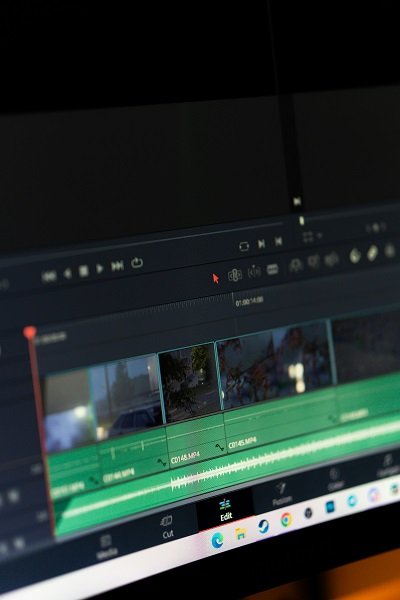
In the realm of YouTube, Video Editing for Beginners plays a pivotal role, especially for beginners who aspire to establish a presence on this dynamic platform. The foundation of successful video content lies in effective editing; it not only enhances the visual appeal but also ensures a coherent narrative that captivates viewers. When utilized appropriately, video editing can lead to higher audience engagement levels, making it a critical skill for both novice and aspiring YouTube creators.
For new content creators, the journey into video editing may appear daunting. Learning the intricacies of cutting, trimming, and assembling raw footage can be challenging, often accompanied by technical jargon and expansive tools. However, understanding the significance of these editing processes is vital for delivering quality content that resonates with the target audience. Successful editing can effectively communicate a story or concept, making it more relatable and enjoyable for viewers.
Further emphasizing the need for editing, effective video transitions, background music, and sound effects can significantly enrich the viewing experience. High-quality edits not only bolster audience retention but also foster a sense of professionalism that sets a channel apart in a competitive landscape. Beginners often face challenges such as choosing the right software, understanding various editing techniques, and determining the best style for their unique content. Moreover, the continuous evolution of technology means that new tools and resources emerge regularly, which can be both an advantage and a source of confusion.
To support budding creators, it is essential to explore accessible video editing options that cater to varying skill levels. Identifying software that simplifies the learning curve while providing essential features can empower new YouTubers to enhance their content effectively. In this blog, we will delve into the various user-friendly video editing tools available, tailored specifically for those just starting on their YouTube journey.
Essential Features to Look For in Editing Software
When selecting video editing software, especially for beginners focused on YouTube content creation, there are several essential features to keep in mind. The right software not only enhances the video production process but also contributes to a more efficient workflow.
Firstly, a user-friendly interface is paramount. Beginners often find themselves overwhelmed by complex functionalities; thus, editing software that provides intuitive navigation and clear layouts is essential. Look for platforms that offer tutorials or guided experiences to facilitate the learning process.
Next, basic editing tools are vital for manipulating footage. Functions such as cutting, trimming, and merging clips are foundational for assembling a cohesive video narrative. These features ensure users can curate their content effectively, allowing for seamless transitions between scenes.
Audio editing capabilities should not be overlooked. Sound quality is crucial in video production, so software that allows users to adjust audio levels, add sound effects, or synchronize audio with video can significantly improve the final output.
Incorporating effects and transitions provides dynamism to videos. Editing software that includes a variety of preset effects can enhance the viewing experience. Users should also assess the range and quality of transitions available, as these can assist in creating a professional look.
Lastly, consider the export options available within the software. An ideal editing tool should support various formats and resolutions to meet YouTube’s requirements and allow flexibility in sharing content across different platforms. Software recommendations often include programs like Adobe Premiere Elements, Filmora, and HitFilm Express, which cater specifically to these essential features, helping beginners to achieve their creative goals.
Top Easy Video Editing Software Recommendations
For those embarking on their journey into video creation for YouTube, choosing an intuitive video editing software can make all the difference. Here are some top recommendations that cater specifically to beginners, ensuring that even those with no advanced editing skills can produce high-quality content.
1. Filmora
Filmora is an excellent choice for novices, featuring a user-friendly interface packed with essential editing tools. It offers a wide range of effects, transitions, and soundtracks. Available on both Windows and Mac platforms, it has a pricing model that includes a free trial, providing an opportunity to explore its features. The software’s drag-and-drop functionality simplifies the editing process. However, users may find the watermark in the free version a bit of a drawback.
2. iMovie
For Mac users, iMovie is pre-installed and offers powerful editing features with simplicity at its core. With capabilities such as green-screen effects, video enhancement, and pre-designed templates, iMovie caters well to novice users. The software is free for all Mac users, which makes it a cost-effective option. However, it is limited to the Apple ecosystem, leaving Windows users without a direct option.
3. HitFilm Express
HitFilm Express provides a robust free video editing platform that offers more advanced features compared to typical beginner software. It includes video compositing, visual effects, and 3D editing. Suitable for both Windows and Mac users, the software allows beginners to learn gradually. However, some might find the interface slightly complex at first glance.
4. OpenShot
OpenShot is a free, open-source editing software available on multiple platforms, including Windows, Mac, and Linux. It boasts a straightforward interface and essential editing tools such as trimming, scaling, and adjusting audio volume. While some advanced features may be limited, it’s a great starting point for new users seeking simplicity.
These software options are tailored to ensure that beginners can comfortably navigate the world of video editing, featuring tools that help produce engaging YouTube content without overwhelming complexity.
Tips for Getting Started with Video Editing
Embarking on the journey of video editing can be exhilarating yet challenging, especially for beginners using video editing software tailored for YouTube. Here are several practical tips to help you navigate this learning curve effectively.
First and foremost, invest time in exploring the numerous online tutorials available. Many platforms, including YouTube itself, offer step-by-step guides that cater to all levels of expertise. Whether you are learning basic functionalities or advanced techniques, these resources can significantly enhance your understanding and efficiency with your video editing software.
In addition to tutorials, engaging with community forums can be invaluable. Platforms like Reddit or dedicated video editing communities provide spaces to ask questions, share experiences, and receive feedback from fellow beginners and experienced editors alike. This sense of community can not only boost your confidence but also serve as a source of inspiration.
Organizing your footage and project files is another essential step in the video editing process. Create a systematic approach to file management, starting with naming conventions for your footage and categorizing them into folders. This practice will save you time during the editing process and help maintain a clutter-free workspace.
Moreover, staying motivated is crucial. Celebrate your small victories—whether it’s completing a project or mastering a new technique. Setting attainable goals can also provide direction and a sense of accomplishment as you enhance your skills over time.
As you embark on your video editing journey, remember that practice makes progress. Repeatedly experimenting with your software will yield not only improved skills but also greater enjoyment in the creative process.