

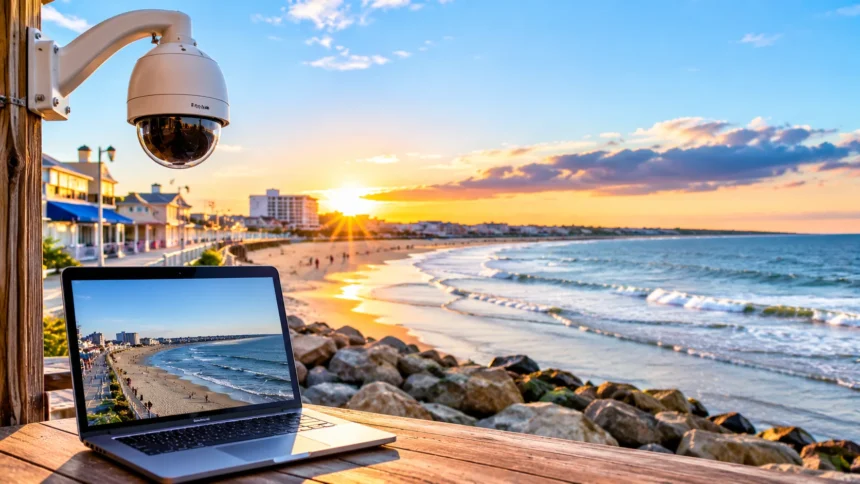
Hampton Beach is one of New Hampshire’s most popular coastal destinations, attracting visitors with its sandy shoreline, ocean views, lively boardwalk, and seasonal entertainment. Whether you are planning a summer vacation or simply want to see the Atlantic Ocean from home, a live beach camera offers a convenient way to explore current conditions. It can help you check the weather, observe beach activity, and enjoy coastal scenery without traveling.
A Hampton Beach webcam provides visual updates of the beachfront, nearby streets, and changing seaside conditions. Several online sources offer live or periodically updated views that can be useful when planning a visit. This guide explains where to find Hampton Beach cameras, what they show, how to check the latest conditions, and practical tips for making the most of your virtual beach experience.
What Is the Hampton Beach Webcam?
The Hampton Beach webcam is an online camera feed that shows views of the Hampton Beach area in New Hampshire. Depending on the camera, viewers may see the sandy shoreline, Atlantic Ocean, nearby streets, or activity along the beachfront. These cameras make it easier to observe the destination remotely and understand how the area looks at different times.
Many beach webcams use streaming technology to display moving footage through websites or video platforms. Some operate continuously, while others may provide still images or experience occasional interruptions. Camera quality, viewing angles, and availability depend on the equipment and the organization responsible for maintaining the feed.
A webcam is particularly useful when you want a quick visual impression of local conditions. It may show whether the beach appears busy, whether the sky looks cloudy, or how waves are moving near the shore. However, cameras cannot confirm every safety condition, so official weather forecasts and beach advisories remain important.
Where to Watch the Official Hampton Beach Webcam
One of the most reliable starting points is the Hampton Beach tourism website, HamptonBeach.org. Its dedicated Beach Cam page features a Seashell Beach Cam and a street camera associated with The Pelham. These viewing options provide different perspectives of the destination and are useful for anyone interested in current beachfront activity.
The Seashell Beach Cam focuses on the beach environment near the Seashell area, a recognizable part of the Hampton Beach waterfront. The street camera provides another perspective of the surrounding visitor area. Both are presented through the official tourism website, although individual streams may occasionally become unavailable because of maintenance or technical issues.
New Hampshire State Parks also directs visitors to the Hampton Beach camera through its coastal beach information pages. This provides another way to locate the official feed when searching for visitor resources. If a stream does not load immediately, check the source page again rather than assuming that the camera has been permanently discontinued.
Other Websites Offering Hampton Beach Camera Views
Besides the main tourism website, several travel and coastal information platforms provide access to Hampton Beach webcam feeds. Some display the original camera, while others embed streams or direct visitors to the operator’s website. This can make it convenient to compare available views without searching through multiple unrelated websites.
The Check the Beach platform includes a Hampton Beach information page with access to a live camera and additional beach conditions. OpenWater also lists cameras associated with the New Hampshire seacoast, including Hampton Beach viewing options. These resources can help visitors discover available feeds, although camera functionality may vary.
Some local hotels and surf-related businesses also provide camera information or coastal viewing services. For example, Ashworth by the Sea and Cinnamon Rainbows Surf Company are associated with beach camera resources. When using third-party websites, check whether the footage is live, recently updated, or temporarily unavailable before relying on what you see.
What Can You See on a Hampton Beach Live Cam?
A Hampton Beach live cam may show a wide section of the sandy shoreline with waves reaching the beach. Depending on camera placement, viewers might also see the ocean horizon, beachgoers, or activity near the waterfront. These views provide a useful introduction to the destination’s coastal setting and seasonal atmosphere.
Street-facing cameras offer a different perspective by showing portions of the surrounding commercial and entertainment area. During busy travel periods, they may reveal pedestrians, passing vehicles, and general activity near Ocean Boulevard. However, each camera has a limited field of view and cannot represent conditions across the entire Hampton Beach area.
The appearance of the beach also changes throughout the day and across different seasons. Morning views may show quieter surroundings, while summer afternoons can bring more visible activity. Watching these changes can be enjoyable, but viewers should remember that camera footage provides only a partial picture of what is happening locally.
How to Use the Webcam to Check Beach Weather
One practical reason to watch a Hampton Beach webcam is to get a visual impression of the weather. A camera may reveal cloud cover, sunshine, rain, or reduced visibility near the ocean. This can help visitors understand what the beachfront currently looks like before deciding whether to continue with outdoor plans.
However, webcam footage should not replace an accurate local weather forecast. A sunny-looking beach can still experience strong winds, uncomfortable temperatures, or changing conditions later in the day. Cameras also cannot reliably measure air temperature, humidity, lightning risk, or the likelihood of approaching storms.
For better planning, combine the camera view with a forecast from a trusted weather service. Check expected temperatures, precipitation, wind conditions, and any active coastal weather alerts. This approach provides a more complete understanding of beach conditions than relying on a single visual snapshot of the shoreline.
Can Hampton Beach Webcams Show Ocean Waves and Tides?
Beach cameras can provide a general view of waves as they approach the shoreline. This makes them interesting for people who enjoy coastal scenery or want to observe visible changes in the ocean. However, perspective, camera distance, and image quality can make wave size difficult to judge accurately.
Tides also affect how much sand is visible and where water reaches the beach. At higher tides, the ocean may cover a larger portion of the shoreline, while lower tides can expose additional sand. A camera can help illustrate these changes, but it cannot provide precise tide heights or predict future water levels.
Visitors interested in coastal conditions should check official tide predictions and relevant marine forecasts alongside webcam footage. This is particularly important for activities involving swimming, boating, or spending time near the water. Lifeguard instructions, posted warnings, and current local conditions should always take priority over impressions formed from a remote camera.
Best Times to Watch the Hampton Beach Webcam
The best time to watch a Hampton Beach webcam depends on the type of view you want to enjoy. Morning hours may provide a quieter perspective of the shoreline and changing natural light. The exact appearance depends on weather, camera direction, and whether the stream is operating normally.
Afternoons during the warmer months often offer opportunities to observe a more active beachfront environment. Visitors may be walking near the shore, relaxing on the sand, or exploring nearby attractions. Summer is generally a busier tourism season, although the number of people visible through a camera can vary considerably.
Evening views can be appealing for people interested in changing light and the atmosphere around the beach. Some street cameras may continue showing activity after daylight fades, depending on lighting and stream availability. If the screen appears dark, remember that nighttime conditions or equipment limitations may explain the lack of visible detail.
How to Check Hampton Beach Crowds Before Visiting
A live webcam can be useful for estimating activity in the specific section of Hampton Beach shown by the camera. During summer weekends and popular events, the visible beachfront may appear busier than on quieter weekdays. This information can help visitors think about when they would prefer to arrive.
However, crowd levels can vary across different parts of the beach and surrounding streets. A camera showing a relatively quiet area does not guarantee that nearby parking facilities or other beach sections are equally uncrowded. Changes in weather and event schedules can also affect how many people arrive throughout the day.
For more dependable planning, combine webcam observations with official visitor information and scheduled event details. Arriving with flexible expectations can make a busy beach day easier to manage. If your plans depend on parking or a specific activity, verify those arrangements separately rather than relying only on visible crowd conditions.
Hampton Beach Webcam and Local Events
Hampton Beach is known for seasonal entertainment, outdoor events, and activities that attract visitors from across New England. Its tourism calendar has featured live music, sand sculpting, fireworks, and community celebrations. These events contribute to the lively atmosphere that makes the area an appealing summer destination.
The Hampton Beach tourism website has also featured dedicated camera coverage related to the annual Sand Sculpting Classic. Such event-focused cameras can offer an additional way to appreciate activity near the beachfront. However, special feeds may operate only during certain periods or remain unavailable outside the relevant event schedule.
Watching a webcam can provide a glimpse of the general atmosphere during a busy event, but it does not guarantee a complete view of performances or activities. Camera angles, operating schedules, and event restrictions can affect what appears on screen. Visitors should check official event announcements for accurate dates, times, and attendance information.
How to Watch Hampton Beach Webcams on Your Phone
You can usually access Hampton Beach webcam pages using a smartphone, tablet, laptop, or desktop computer. Open a compatible web browser and visit the Hampton Beach tourism website or another established camera provider. Select the available stream and use the video controls if playback does not begin automatically.
For mobile viewing, a stable internet connection can help reduce buffering and interruptions. Video quality may change depending on network speed, device capabilities, and the streaming platform. If the footage freezes, refreshing the page or opening the original stream can sometimes resolve a temporary playback problem.
Some streams are hosted through video platforms that provide additional playback controls. Depending on the service, you may be able to expand the video, adjust quality, or view it in full-screen mode. Always check whether the footage is genuinely live, because a recorded video can look similar to a current webcam broadcast.
Why a Hampton Beach Webcam Might Not Be Working
A webcam may occasionally stop displaying footage because of internet connectivity problems, scheduled maintenance, or issues with the camera equipment. Streaming services can also experience temporary interruptions that prevent videos from loading correctly. These situations do not necessarily mean that the entire webcam service has been discontinued.
Weather can affect visibility even when the equipment continues operating normally. Heavy rain, fog, darkness, or moisture on the camera lens may make the image difficult to see. In other situations, an embedded video player may fail while the original stream remains accessible through its hosting platform.
If you encounter a problem, refresh the webpage and check whether the provider has posted a service notice. You can also try another established camera source or revisit the stream later. Avoid unfamiliar websites that require unnecessary downloads or personal information simply to access supposedly free beach camera footage.
Other Ways to Check Hampton Beach Conditions
Although webcams are useful, they provide only one part of the information needed for beach planning. Weather forecasts, tide predictions, parking updates, and safety advisories can offer details that cameras cannot show. Combining these resources helps visitors make better decisions about when and how to explore the destination.
New Hampshire State Parks provides visitor information for Hampton Beach State Park, including parking details, seasonal regulations, and beach-related guidance. The Hampton Beach tourism website also offers information about events, local attractions, accommodations, and other planning resources. These sources are useful for checking practical details before leaving home.
For swimming and other water activities, always review current safety guidance and follow instructions from lifeguards and local authorities. A calm-looking ocean does not necessarily indicate safe swimming conditions or acceptable water quality. Official notices provide essential context that cannot be determined reliably from a distant beach camera.
Planning Your Visit After Watching the Webcam
Watching a Hampton Beach webcam can be an enjoyable first step when planning a coastal getaway. It provides a visual introduction to the beach and helps you imagine what the surroundings may look like during your visit. However, practical travel planning still requires information about transportation, accommodation, accessibility, and available facilities.
Hampton Beach State Park is located along the New Hampshire seacoast and includes access to beach recreation and nearby visitor amenities. The surrounding area offers restaurants, shops, and seasonal entertainment opportunities. Travelers should check the current availability of specific services because operating hours and seasonal arrangements can change.
Before arriving, review parking regulations, beach rules, weather forecasts, and any events scheduled for your preferred date. Bringing appropriate clothing for changing coastal conditions can also improve comfort. Using the webcam alongside reliable visitor information creates a more balanced approach to planning a convenient and enjoyable beach experience.
Conclusion
A Hampton Beach webcam offers an easy way to explore the New Hampshire coastline from almost anywhere. The official Hampton Beach tourism website provides beach and street camera options, while additional platforms may display related feeds. These resources can help viewers observe the shoreline, changing weather, and general beachfront activity.
Webcams are especially useful when combined with trustworthy weather forecasts, tide information, and official visitor updates. They provide visual context but cannot confirm swimming safety, exact crowd levels, or future conditions. Checking several relevant sources helps travelers avoid relying on incomplete information when making important plans.
Whether you are preparing for a vacation or simply enjoying a virtual ocean view, Hampton Beach cameras provide a convenient connection to the destination. Start with established camera providers, check that the stream is current, and use official resources for practical travel details. With a little preparation, you can enjoy the scenery online and plan a more informed visit.
Frequently Asked Questions
Where can I watch the Hampton Beach webcam live?
You can find the official Hampton Beach webcam on the Hampton Beach tourism website at HamptonBeach.org under the Beach Cam section. It features beach and street views, although stream availability may change.
Is the Hampton Beach webcam available 24 hours a day?
Some camera streams may operate continuously, but visibility and availability are not guaranteed. Darkness, weather, equipment maintenance, or internet interruptions can temporarily affect the footage, even when a stream remains online.
Can I check the weather using the Hampton Beach webcam?
Yes, a webcam can show visible conditions such as sunshine, clouds, rain, and general wave activity. However, use a reliable weather forecast for temperatures, wind speeds, storm warnings, and other important details.
Does Hampton Beach have more than one live camera?
Yes, the official tourism website lists a Seashell Beach Cam and a street camera. Other coastal platforms may feature additional nearby views, although individual camera feeds and their availability can change.
Can the Hampton Beach webcam help me avoid crowds?
A live camera can provide an indication of activity in the area it shows. However, it cannot confirm overall beach attendance or parking availability, so check local visitor resources before traveling.